


You signed off on the business case. The migration completed on schedule. Then the bill arrived, and you realised the cloud migration is not working for your budget the way anyone promised it would.
TL;DR:
Cloud cost overruns after migration almost always come from the same six places: lift-and-shift workloads, idle environments, oversized instances, no tagging, no cost ownership, and a team that inherited infrastructure they did not build.
This post breaks down each one and what to do about it.
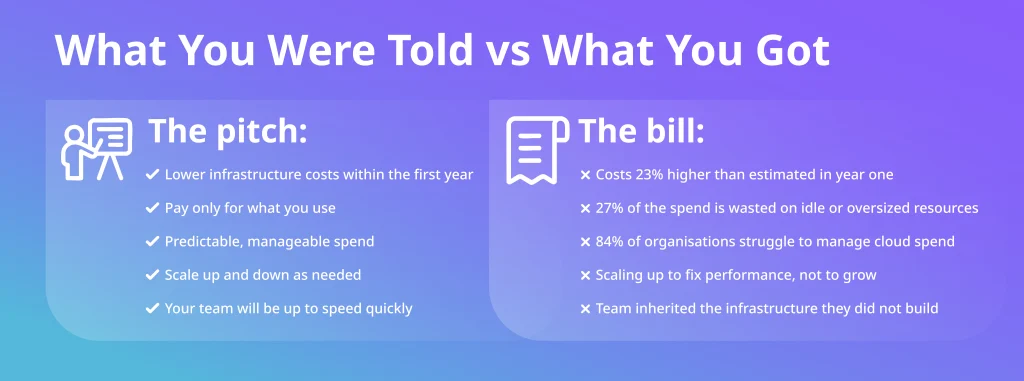
When the work of migration gets separated from the discipline of running cloud infrastructure well, the bill is where you feel it. Most projects solve one of those problems and ignore the other.
Here is where the money actually goes after a migration and what you can do about it.
Why Cloud Migration Costs More Than You Were Told
Cloud vendors sell you on elasticity, efficiency, and long-term savings. What the sales deck does not cover is what happens when you move workloads that were never designed for the cloud in the first place.
Most migrations default to lift-and-shift because it is the fastest path to finish. You take what you have on-premises, move it as-is, and deal with optimisation later. The problem is that it rarely comes later. Teams move on to the next project, engineers get pulled into new priorities, and the infrastructure you inherited stays exactly as it was on day one, except now you are paying cloud rates for on-premises behaviour.
McKinsey found that 75% of cloud migrations run over budget, and the pattern behind that number is almost always the same.
According to the Flexera 2026 State of the Cloud Report, 27% of cloud spend is wasted across organisations. That is a structural problem integrated into how most migrations are planned and handed over.
The gap between what was promised and what you are actually paying is a problem of planning and ownership. And it starts before a single workload moves.
If you are in the planning stage or considering a second migration after a failed first attempt, the way the migration is structured from day one determines whether these cost problems appear at all. Deployflow’s cloud migration service covers the full move to AWS, Azure, and GCP with cost governance and knowledge transfer built into the delivery.
6 Reasons Your Cloud Migration Is Not Working for Your Budget
- No tagging or cost attribution strategy
If your resources are not tagged by team, environment, service, and cost centre, your cloud bill is a single number with no explanation behind it. You know the total, but you cannot identify which workload, team, or architectural decision is driving it.
Wasted resources, forgotten instances, and duplicated environments accumulate in untagged infrastructure. Nobody deletes what nobody can see. By the time the problem surfaces, you are months into paying for resources that serve no one.
Early warning sign: your engineering and finance teams give different answers when asked what is driving cloud costs this month.
- Test and dev environments are left running around the clock
This one appears in almost every post-migration cost audit. Non-production environments running outside business hours can account for 20 to 30% of total cloud spend. It persists because no one is explicitly responsible for turning them off. Engineering is focused on delivery. Finance sees the aggregate bill. The gap between those two things is where the waste lives.
Automated shutdown schedules for non-production environments are a straightforward fix. The savings are immediate, and the implementation is measured in hours instead of sprints.
Early warning sign: your cloud bill looks roughly the same on weekends as it does on weekdays.
- Wrong instance sizing from day one
Over-provisioning at migration time is understandable. You are moving fast, the risk of undersizing feels greater than the cost of oversizing, and you plan to revisit it once things stabilise. The problem is that stabilisation becomes the new normal, and revisits are never scheduled.
Right-sizing has to be a recurring activity with a named owner, not a one-time decision made under pressure from migration. Without a regular cadence, you carry the cost of capacity provisioned for a peak that may never arrive.
Early warning sign: average CPU and memory utilisation across your instances sits consistently below 40%.
- Lift-and-shift of workloads that needed refactoring
Monolithic applications built for fixed on-premises resources do not behave efficiently in an environment priced on consumption. When performance is poor, the instinct is to scale up. More compute, more memory, larger instances. That treats the symptom and ignores the cause, and the bill grows accordingly.
For performance-critical workloads, the fix is refactoring: replacing monolithic architecture with auto-scaling, caching, and cloud-native services. It takes longer than a quick instance upgrade, but it is the only change that actually brings costs in line with what the original business case promised.
If you want to go deeper on why migrated workloads underperform, read 17 network factors that shape cloud migration performance.
Early warning sign: you have scaled up instances multiple times since go-live, but performance complaints have not gone away.
- No FinOps practice or cloud cost ownership
Engineering owns the infrastructure decisions. Finance owns the budget. In most organisations, nobody owns the intersection of those two things on a day-to-day basis. There are no real-time spend alerts, no defined thresholds, and no one reviewing anomalies before they become line items on next quarter’s budget review.
FinOps exists as a discipline precisely because this gap is universal. It does not require a dedicated team to start. It requires someone with the mandate, the access, and the time to treat cloud spend as an operational concern rather than a finance report.
For a practical framework on stopping cloud waste before it compounds, read how to cut 35% of cloud waste through governance-as-code.
Early warning sign: you find out about cost overruns in monthly or quarterly reviews, never in real time.
- Knowledge gaps in the team post-migration
The vendor or agency that built your cloud infrastructure understood it deeply. When the engagement ended, that understanding did not transfer automatically. Your internal team inherited an environment they did not design, running on tooling they are still learning, with documentation that covers what was built but rarely explains why decisions were made.
The result is conservative decision-making. Engineers avoid changing things they do not fully understand. Resources accumulate. Workarounds layer on top of each other. The cost of uncertainty compounds quietly over time.
This is where structured knowledge transfer changes the outcome, a deliberate process of working alongside your internal team until they own the infrastructure with the same confidence the people who built it had.
Early warning sign: your team can describe what the infrastructure does, but struggles to explain why it is configured the way it is.
Cloud Migration Cost Problems Do Not Fix Themselves
Left alone, every one of those six issues gets worse. Here is why.
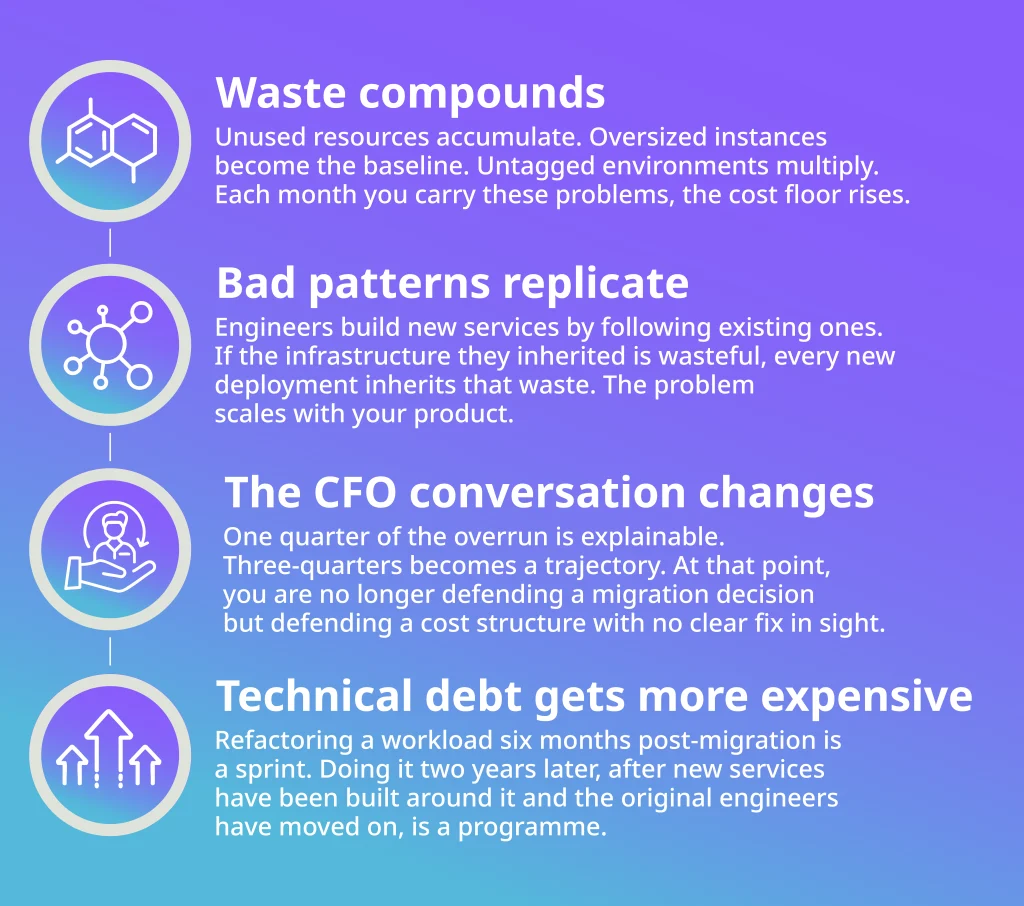
The cost of fixing this does not stay flat while you decide when to act.
What a Controlled, Cost-Efficient Cloud Operation Looks Like
The difference between cloud infrastructure that delivers on its business case and one that keeps bleeding budget is structural. Someone owns the costs, reviews them on a regular cadence, and has the authority to act.
The teams that get this right treat infrastructure the same way they treat product delivery. In cycles, with clear owners, and a review built into every sprint. That is how waste gets caught before it compounds and how optimisation becomes a habit rather than a crisis response.
The engineers doing that work need to understand both the architecture and the business impact of every decision. And when the engagement ends, your internal team should own the infrastructure as confidently as the people who built it.
How Deployflow Approaches Cloud Cost Control
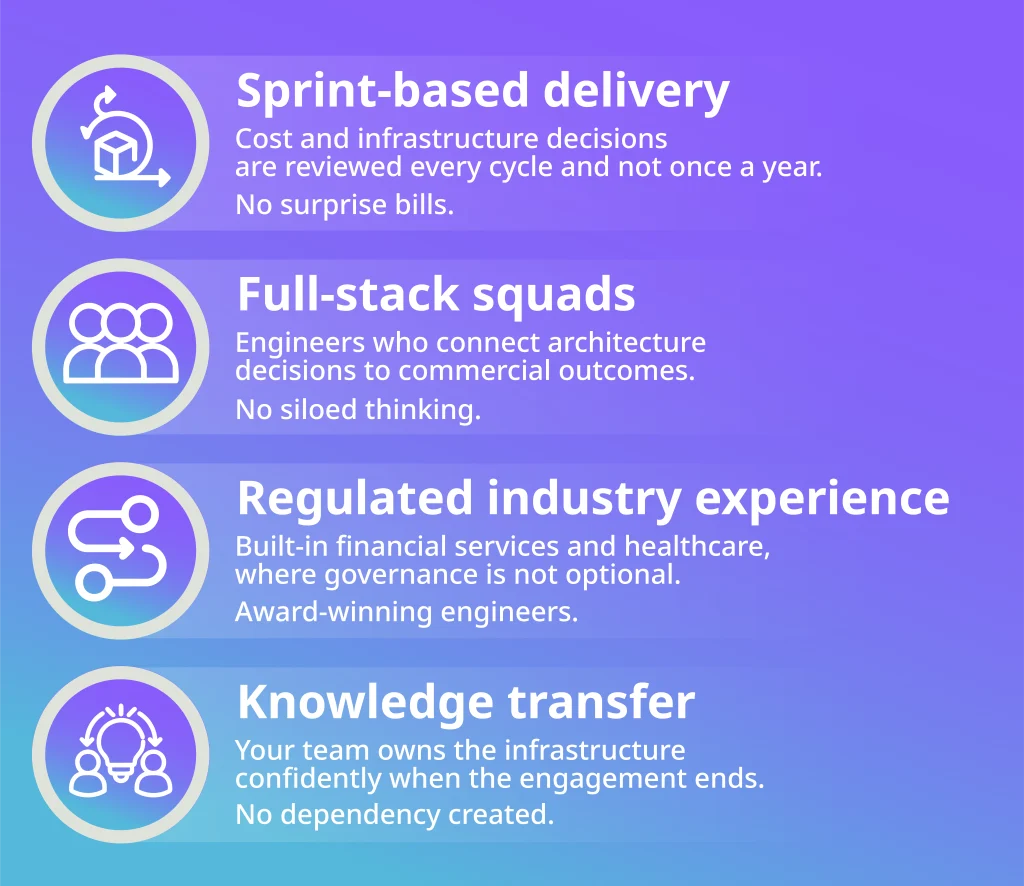
Sprint-based delivery, full-stack squads, and structured knowledge transfer are not abstract concepts. They are the difference between a cloud environment that costs more every quarter and one that gets progressively cheaper and easier to run. Here is a recent example.
Hall Hunter: 30% Cost Reduction After a Full Cloud Migration
Hall Hunter, a leading UK berry grower, came to Deployflow with a familiar problem. Legacy on-premises infrastructure, no dedicated team to manage it, poor documentation, and multiple suppliers driving up costs and creating security gaps.
Deployflow executed the full migration on time and within budget. The results:
- 30% reduction in IT costs
- 150+ employees supported with stable, managed services
- 2+ years of ongoing support ensuring system continuity
They left with lower costs, clear documentation, and a system their internal team could own and run independently.
Where to Start If Your Cloud Costs Are Already Out of Control
Answer two questions first:
- Who owns the bill today?
- When did you last review instance sizing?
The answers will tell you whether you have a visibility problem, an ownership problem, or an architecture problem. Start with whichever is driving the most waste, assign a named owner, and set a review cadence. Structural fixes without ownership revert within a quarter.
If the migration itself is still ahead of you, see how Deployflow approaches cloud migration to avoid these problems from the start.
Cloud Migration Not Working for Your Budget? The Fix Is Simple
Fixing cloud cost overruns does not require a platform change, a new vendor contract, or a lengthy procurement process. It requires the right team and a clear operating model.
Your cloud bill is sending you a signal. Every month you wait, the cost of fixing it goes up.
Book a cloud cost review with Deployflow’s engineers. One conversation, a clear diagnosis, and a plan you can act on.
Frequently Asked Questions About Cloud Migration Costs
Why is my cloud bill higher after migration than before?
Because most migrations move workloads as-is, without redesigning them for cloud pricing.
On-premises applications are built around fixed resources and always-on servers. In the cloud, that same behaviour is billed at consumption rates around the clock, including nights, weekends, and idle time. Add oversized instances, untagged resources, and dev environments running 24/7, and the bill climbs fast. Without a deliberate optimisation plan built into the migration itself, higher costs in year one are almost inevitable.
How long does it take to see cost savings after a cloud migration?
With the right changes in place, most organisations see meaningful reductions within 60 to 90 days.
The quickest wins come from shutting down idle non-production environments, right-sizing instances, and implementing a tagging strategy to see exactly where money is going. Deeper optimisation through workload refactoring takes longer but delivers more significant and sustained savings. The key variable is not the complexity of the fix but how quickly you assign ownership and start acting on the data you already have.
What is FinOps, and do I need it after a cloud migration?
FinOps is the practice of bringing financial accountability to cloud spending by closing the gap between engineering decisions and budget outcomes. Yes, you need it. Without a named owner and a regular process for reviewing costs, cloud spend grows by default because engineers optimise for delivery speed.
FinOps does not require a dedicated team to start. It requires clear ownership, real-time spend visibility, defined thresholds, and a cadence for acting on anomalies before they become quarterly budget problems. Deployflow’s cloud management is built around this model, with cost ownership and sprint-based reviews built into every engagement.
How do I know if my cloud instances are oversized?
Check your average CPU and memory utilisation over a 30-day period. If it sits consistently below 40%, your instances are likely oversized.
Most cloud providers offer native tools for this, including AWS Cost Explorer, Azure Advisor, and Google Cloud Recommender, all of which surface right-sizing recommendations based on actual usage patterns. The harder part is not identifying the problem but building a regular review cadence so instances do not drift back to over-provisioned defaults every time a new workload is deployed.
What is the difference between cloud cost optimisation and cloud cost management?
Cost management is visibility: knowing what you are spending, on what, and why.
Cost optimisation is action: reducing waste, right-sizing resources, refactoring workloads, and improving architecture to spend less for the same or better performance.
You need both, but management without optimisation just means you can see the problem clearly without fixing it. Most organisations after migration have neither in place, which is why costs drift upward by default until someone is given the explicit mandate to stop it.
Explore our BLOG
Recent articles

AI Roadmap: How to Get Board Approval for Your AI Strategy in Six Weeks
A board-ready AI roadmap takes six weeks if you rank, cost and sequence use cases...
read full article

Is Claude Down? Anthropic Outage: Protect Your Cloud Infrastructure
Every current Claude model failed at once on 25 October 2026, the worst of five...
read full article

Agentic Process Automation Explained: A Complete Guide for 2027
Agentic process automation hands off entire business processes to AI agents that read, decide and...
read full article