


Tired of clicking through endless cloud dashboards just to spin up a server? One wrong click, and suddenly your “production-ready” setup is missing a firewall rule or deployed in the wrong region. It’s not just frustrating, it’s risky.
That’s why infrastructure as code (IaC) has become the backbone of modern IT. Instead of juggling screenshots and sticky notes, you write everything down in code: servers, networks, databases, the whole lot.
And when you need a change? Update the file, run the command, and Terraform does the heavy lifting.
For small and mid-sized businesses running workloads in AWS, Azure, or even multiple clouds, Terraform is a way to:
- Eliminate human error from manual setup
- Launch environments consistently in minutes
- Scale confidently without slowing down your team
In this guide, you’ll learn what Terraform is, how it works across AWS, Azure, and GCP, how to manage state files and modules, and what next steps you can take to automate cloud infrastructure.
What Is Terraform and Why Is It Useful for SMBs?
At its core, Terraform is an infrastructure as code (IaC) tool. You no longer need to click through menus, as Terraform allows you to define servers, networks, and databases using text-based configurations.
These files act like blueprints: you “declare” what you want your infrastructure to look like, and Terraform talks to the cloud provider (AWS, Azure, GCP, and many others) to make it happen.
For small and medium-sized businesses (SMBs) with smaller IT teams, that makes all the difference. Why? Because it replaces unpredictable, manual work with predictable, repeatable automation.
Here’s what that looks like in practice:
- Repeatability: A single .tf file can spin up identical environments (development, staging, production) without variation. That consistency reduces “it works on my machine” problems.
- Speed: Entire environments can launch in minutes instead of days. A single command (terraform apply) replaces hours of manual setup.
- Stability: Every change is tracked in code, which means fewer human mistakes and an easy rollback if something breaks.
Why SMBs Choose Terraform to Automate Cloud Infrastructure
Large enterprises have entire departments dedicated to cloud infrastructure. SMBs rarely have that luxury.
With Terraform:
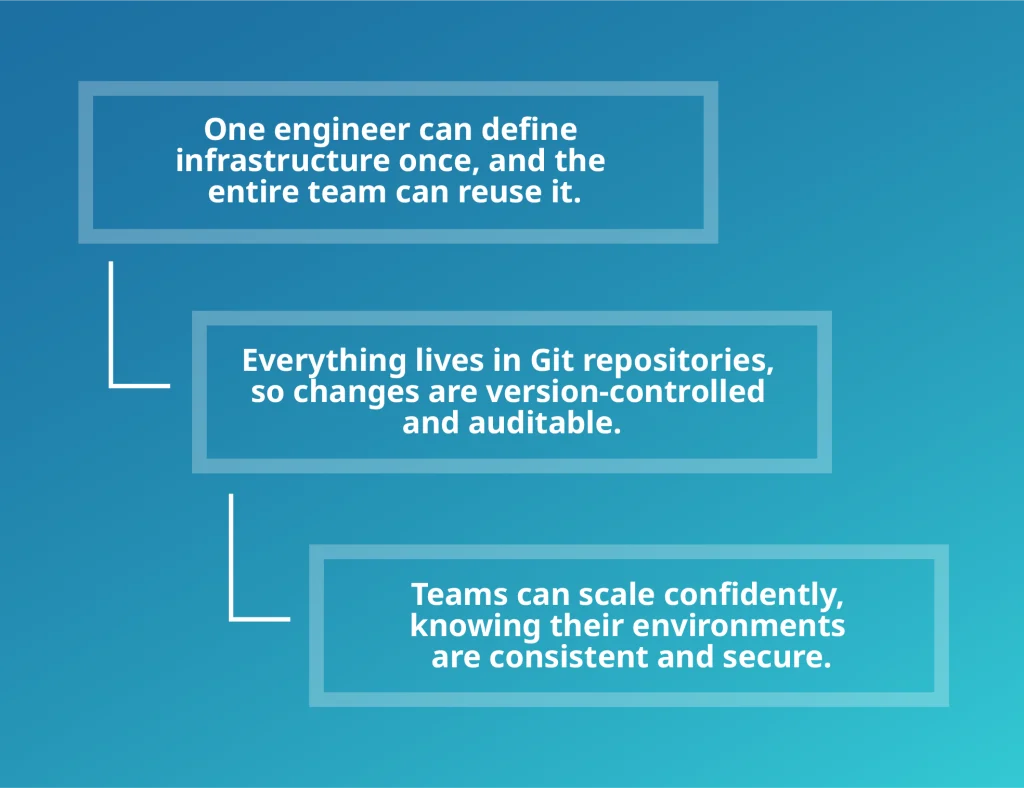
Example: Imagine your lead engineer spends a day manually setting up AWS resources. Next week, another engineer needs the same environment. Do they repeat the process from memory?
With Terraform, they don’t have to because everyone just reuses the same .tf file. That file becomes your single source of truth, ensuring everyone builds from the same blueprint.
Terraform with AWS, Azure, and GCP: How to Pick the Right Provider
Terraform doesn’t work in isolation. It needs a provider to communicate with your cloud platform. A provider is essentially a plugin that instructs Terraform on how to create resources in a specific environment.
Think of it as a translator: Terraform gives the instructions, and the provider converts them into API calls your cloud understands.
The most common providers for SMBs are:
- AWS (Amazon Web Services): AWS is often the first stop for SMBs because of its sheer size and flexibility. It offers hundreds of services, from compute (EC2, Lambda) to databases (RDS, DynamoDB) to networking (VPC, CloudFront).
Terraform with AWS: With Terraform, you can automate everything from spinning up test environments to building enterprise-grade multi-region architectures. The downside is that AWS’s vast service catalogue can feel overwhelming, so starting with well-documented Terraform modules is key.
- Azure (Microsoft Azure): Azure shines when you’re already deep in the Microsoft ecosystem. If your organisation relies on Active Directory, Office 365, or Windows Server, Terraform makes it easy to extend those tools into the cloud. It also has strong offerings in hybrid cloud setups, useful if you’re running some workloads on-premises and others in the cloud.
Terraform with Azure: With Terraform, you can script out entire Azure Resource Groups, Virtual Networks, and identity integrations without ever touching the portal.
- GCP (Google Cloud Platform): GCP is known for its strength in data, analytics, and machine learning. Services like BigQuery and Vertex AI make it a favourite for startups and SMBs in data-heavy industries.
Terraform with GCP: Terraform lets you codify those complex data pipelines alongside standard infrastructure, so your data engineers don’t rely on manual console tweaks. GCP’s simpler service catalogue also makes it easier to learn, though it may lack the breadth of AWS or Azure for certain enterprise workloads.
Choosing the right provider depends on your cloud strategy. If you’re already invested in Microsoft 365, Azure may be a natural fit. If you need global scalability or a wide variety of services, AWS is often the first choice. Many teams even use Terraform across multiple providers at the same time.
Here’s a simple AWS provider block in Terraform:
provider “aws” {
region = “eu-west-2”
version = “~> 2.7”
}
This snippet tells Terraform: “Use the AWS provider, in the London (eu-west-2) region, with version 2.7 or higher.” That’s all it takes to connect Terraform to AWS.
If you’re using Microsoft Azure, Terraform connects using your subscription and tenant IDs. This makes it easy to extend existing Microsoft services like Active Directory or Office 365 into the cloud without manual setup.
provider “azurerm” {
features {}
subscription_id = “00000000-0000-0000-0000-000000000000”
tenant_id = “00000000-0000-0000-0000-000000000000”
}
For Google Cloud Platform (GCP), you define the project and region. This approach is especially useful for startups and data-heavy SMBs using services like BigQuery or Vertex AI.
provider “google” {
project = “my-gcp-project”
region = “us-central1”
}
If you want to explore further, the Terraform providers registry lists official and community-supported providers, covering everything from major cloud platforms to niche services.
There, you can browse all official and community-supported providers, check version details, and copy example configurations directly into your Terraform files.
How to Write Your First Terraform File (Providers and Resources Explained)
Terraform uses configuration files with the .tf extension. Think of these files as recipes: you list the ingredients (resources) and instructions (providers), and Terraform cooks up your infrastructure.
The two essential building blocks are:
- Provider block – tells Terraform which cloud platform to use and how to connect.
- Resource block – defines what you want to build in that platform (like an IAM user, EC2 instance, or S3 bucket).
Here’s a simple example that creates an AWS IAM user:
resource “aws_iam_user” “terraform_executor_user” {
name = “terraform-init”
}
How to Create Your First Terraform User (IAM Example)
- resource “aws_iam_user” → the type of resource, in this case, an IAM user in AWS.
- “terraform_executor_user” → the logical name you assign inside Terraform. You’ll use this name to reference the resource in other files.
- name = “terraform-init” → the real-world name of the IAM user as it appears in AWS.
This separation is powerful: you can rename the logical identifier in Terraform without affecting the actual AWS resource name. It’s like having a nickname in code that doesn’t change your legal name in real life.
Helpful hint: The AWS provider documentation is your best friend. It lists every available resource, required arguments, and examples you can copy-paste.
Now that you’ve seen how a single resource is defined, let’s look at how Terraform orchestrates multiple resources together in the right order.
How Terraform Processes Resources and Dependencies
When you run terraform plan or terraform apply, Terraform doesn’t just start creating resources blindly. Under the hood, it goes through a multi-step orchestration process that ensures everything happens in the right order.
Step 1: Parse the Configuration
Terraform scans all .tf files in your working directory and loads the configuration into memory. This is where it collects information about providers, resources, variables, and outputs.
Step 2: Build the Dependency Graph
Terraform then constructs a directed acyclic graph (DAG) of resources. This graph shows how each resource depends on the others.
For example:
- A subnet must exist before an EC2 instance can be launched into it.
- An IAM policy must be created before it can be attached to a user.
This graph is what allows Terraform to understand order, even if your .tf files don’t explicitly state it.
Step 3: Create the Execution Plan
Next, Terraform generates a plan that compares your desired state (in .tf files) with your current state (in the state file). The plan highlights what needs to be created, updated, or destroyed. You get a preview before anything changes, which reduces surprises.
Step 4: Apply in the Correct Order
Finally, when you run terraform apply, Terraform walks through the dependency graph and executes operations in the right sequence. Independent resources can be created in parallel for speed, while dependent ones wait their turn.
Why Dependency Management Is Critical in Terraform
Without this process, deployments would be error-prone, like trying to build a house by installing the windows before pouring the foundation. Terraform acts as the project manager, guaranteeing order, safety, and consistency across every deployment.
To see how Terraform fits into modern delivery pipelines, check out the guide about Terraform and your CI/CD workflows. It explains how to safely integrate infrastructure changes into automated deployments.
Terraform State File Explained: Local vs Remote and Best Practices
Terraform’s state file is the memory of your infrastructure. It maps what’s defined in your .tf files (desired state) to what actually exists in the cloud (real state). Without it, Terraform wouldn’t know what’s already built, what changed outside of Terraform, or what must be created, updated, or destroyed.
What the State Tracks (and Why You Need It)
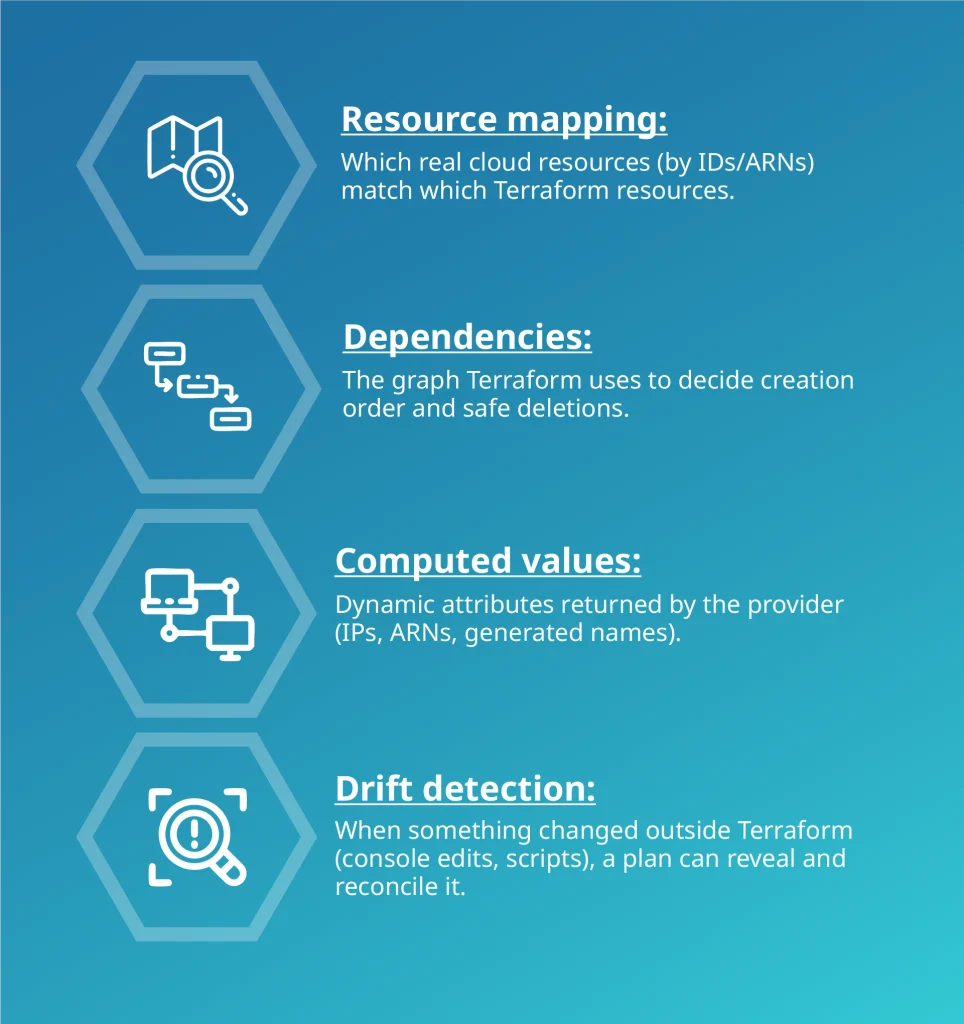
Local vs Remote State (and Why Teams Should Avoid Local)
Without the remote state, two engineers may overwrite each other’s changes, leading to broken environments or lost work. Remote backends prevent this by locking and versioning the state.
- Local state (default): Stored as terraform.tfstate on your machine. OK for quick tests, risky for teams (easy to lose, no locking, secrets on laptops).
- Remote state: Centralised and shared (S3, Azure Blob, GCS, or Terraform Cloud). Enables locking, versioning, and access control, critical for collaboration.
Recommended: S3 Remote State with Locking (AWS)
Minimal backend (works, but not ideal):
terraform {
backend “s3” {
bucket = “tf-state”
key = “master.tfstate”
region = “eu-west-2”
}
}
Hardened backend (locking, encryption, versioning):
terraform {
backend “s3” {
bucket = “my-company-terraform-state”
key = “prod/network/terraform.tfstate”
region = “eu-west-2”
encrypt = true # Enable SSE-S3
dynamodb_table = “terraform-state-lock” # Enables state locking
# kms_key_id = “arn:aws:kms:eu-west-2:123456789012:key/abc…” # Optional SSE-KMS
}
}
Understanding the Impact of These Settings
- dynamodb_table → locks the state so two people can’t run apply at once.
- encrypt/kms_key_id → protects sensitive data stored in state.
- Versioning on the S3 bucket lets you roll back a bad state update.
Best practice: Enable S3 bucket versioning, block public access, and restrict IAM access to only CI and infra engineers, ensuring they can read/write state.
Azure and GCP Equivalents (if you’re not on AWS)
- Azure (azurerm backend): Use a Storage Account + container + blob; enable soft delete and versioning.
- GCP (gcs backend): Use a GCS bucket with uniform bucket-level access and object versioning.
Locking, Concurrency, and Recovery
- Locking: Prevents overlapping runs. If a lock gets stuck (e.g., due to a crashed process), you can terraform force-unlock <LOCK_ID> (use cautiously).
- Atomic updates: Terraform writes state safely, so partial updates don’t corrupt it.
Security: State Often Contains Secrets
State can contain plaintext values (passwords, keys, sensitive outputs). Treat access to state like access to your production secrets:
- Limit who can read the bucket/blob.
- Prefer SSE-KMS (or CMK) and tight bucket policies.
- Mark outputs as sensitive = true and avoids printing secrets in CI logs.
Drift, Imports, and Keeping State Honest
- Drift: Changes made outside Terraform show up in the terraform plan. Use terraform plan -refresh-only to sync state with real resources without changing the infrastructure.
- Import: Bring unmanaged resources under Terraform with terraform import, then refactor code to match the existing architecture.
- Never hand-edit state: Use terraform state mv/rm for refactors and cleanup.
Organising State for Multiple Environments
- Separate states for prod/stage/dev (and often per domain like network, app, data) to reduce blast radius.
- Workspaces are handy for light isolation (e.g., dev feature envs), but production often benefits from separate backends/keys for stronger isolation and permissions.
Essential Terraform Commands for Everyday Use
- terraform plan → shows proposed changes; detects drift by default.
- terraform apply → applies the plan.
- terraform state list|show|mv|rm|pull|push → inspect and surgically adjust state when refactoring.
- terraform force-unlock → clears a stale lock if a run crashed.
Official documentation for further reading:
- Terraform Backends (overview): explains what backends are, how they work, and the different types available.
- S3 Backend (AWS): setup guide for storing state in Amazon S3 with optional DynamoDB table for locking.
- azurerm Backend (Azure): instructions for using Azure Storage Account and blob containers as state storage.
- gcs Backend (Google Cloud): details on configuring a Google Cloud Storage bucket to manage Terraform state.
These pages provide the exact configuration options, security best practices, and step-by-step setup examples for each backend. They’re essential references when you move from a local state to a remote, team-ready setup.
Terraform Modules: Reusable Building Blocks for Scalable Infrastructure
Once you’re comfortable with resources and the state file, the natural next step is modules. A module is simply a collection of Terraform files grouped together so you can reuse them across projects.
Think of modules as Lego bricks for infrastructure: instead of building from scratch every time, you snap together prebuilt pieces.
The Benefits of Using Terraform Modules
- Reusability: Package commonly used resources (like VPCs, EC2 instances, IAM roles) into a single module you can call again and again.
- Consistency: Ensure every environment (dev, staging, prod) uses the exact same configuration.
- Scalability: Organise large projects into manageable units rather than one giant .tf file.
- Maintainability: Update a module once, and every place it’s used benefits from the change.
A Basic Terraform Module Example
Instead of repeating EC2 + VPC + IAM role definitions in every environment, you wrap them into one module:
module “web_app” {
source = “./modules/web_app”
instance_type = “t3.micro”
region = “eu-west-2”
}
Now, whenever you need a new web app environment, you just call the module.
Another common use case is networking. Instead of rewriting your VPC, subnets, and routing tables in every environment, you can wrap them into a reusable module. This keeps your infrastructure code DRY (Don’t Repeat Yourself) and ensures every environment uses the same secure, well-tested networking baseline.
module “network” {
source = “./modules/vpc”
cidr_block = “10.0.0.0/16”
}
This way, your web app module plugs into a consistent networking foundation. The combination shows how modules scale: one defines the core infrastructure, the other provisions application-specific resources, and together they give you repeatability across dev, staging, and prod.
To go deeper, check out the article about working with Terraform modules, where we break down best practices and show how to build reusable infrastructure patterns.
Getting Started with Terraform: Expert Help for SMBs and Scale-Ups
Terraform is powerful, but starting from scratch can feel overwhelming. Many SMB IT leaders wrestle with questions like:
- Should we manage the state file in-house or move it to the cloud?
- How do we enforce IAM security without slowing engineers down?
- What’s the smartest provider strategy for a hybrid or multi-cloud setup?
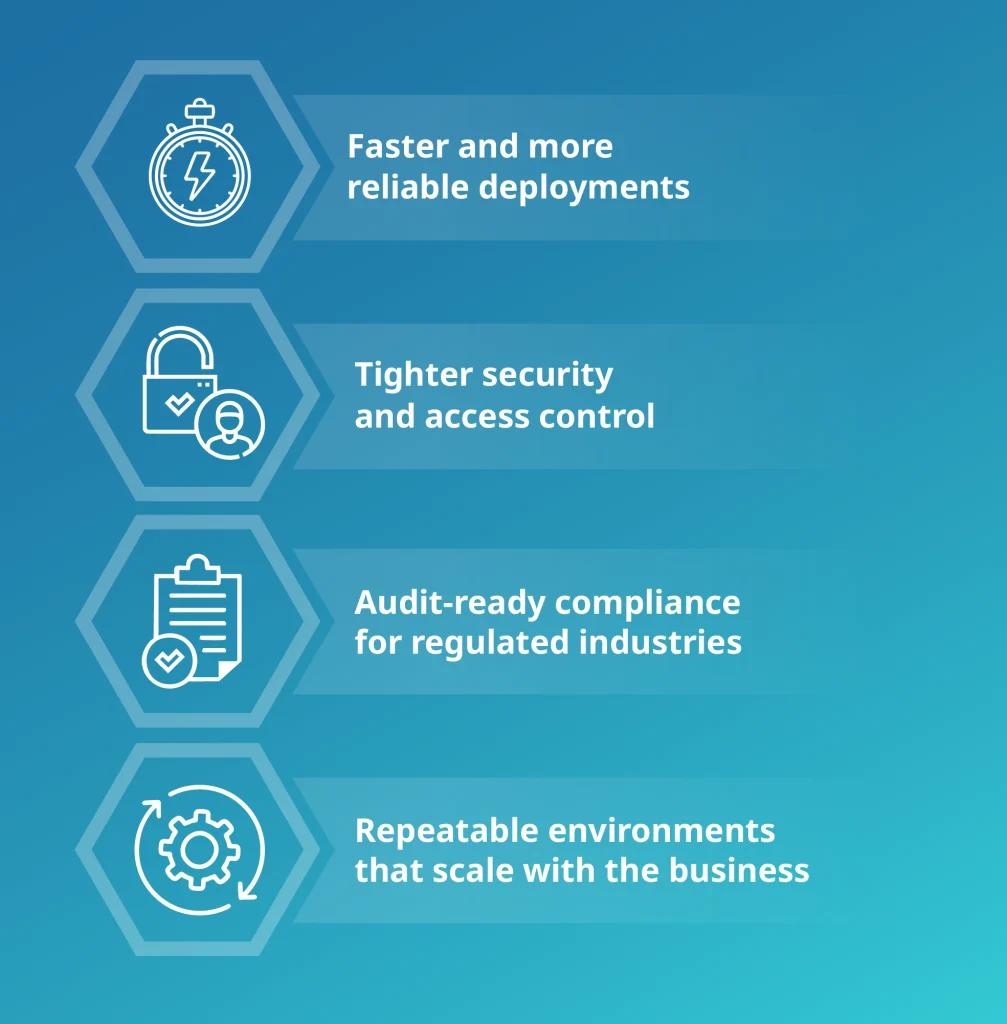
Expertise makes the difference. At Deployflow, we’ve helped SMBs and scale-ups build Terraform-driven automation that delivers:
Real-World Results: How SMBs Benefit from Terraform Automation
Deployflow delivered real-world results for SMBs and scale-ups, including HealthTech providers like Little Journey, where Terraform automation cut deployment times by 80% and boosted scalability by 50%.
Another example comes from Strike (now Purplebricks), where Deployflow used Terraform Cloud alongside AWS services to stabilise their environment, eliminating outages and improving release reliability by over 55%. This shows how Terraform-driven automation works not just in HealthTech, but across fast-moving digital platforms as well.
Next Steps: How to Automate Your Cloud with Terraform and Deployflow
Deployflow’s sprint-based squads bring together Terraform DevOps skills and compliance best practices to help you build secure, reliable infrastructure that grows with you.
If you’re a CTO, Head of IT, or IT Manager looking to cut manual effort and stabilise your infrastructure, we can help you design and implement a Terraform workflow tailored to your organisation.
Explore Cloud Transformation Services, CI/CD automation services and IT Managed Support to see how Terraform becomes a foundation for faster, safer, and more scalable cloud operations.
For growing teams, that first Terraform file can be the start of a cloud infrastructure that scales smoothly and securely with your business.
Terraform FAQs: Common Questions from SMBs Starting with IaC
Do I need to code to use Terraform?
Yes, but only at a basic level. Terraform uses HCL (HashiCorp Configuration Language), which is declarative and easier to learn than traditional programming.
You’ll define infrastructure resources, providers, variables, and modules, but you won’t be writing algorithms. Most beginners start by copying official examples and tweaking them.
As long as you understand cloud concepts like networks, IAM, and storage, you can pick up Terraform without being a developer.
How does Terraform differ from CloudFormation or ARM templates?
Terraform is multi-cloud and works with AWS, Azure, GCP, Kubernetes, and hundreds of other providers.
CloudFormation (AWS) and ARM templates (Azure) lock you into a single cloud.
Terraform also manages state, tracks drift, and offers a wider ecosystem of reusable modules. If your business expects to use more than one cloud, Terraform gives you flexibility that vendor-specific IaC tools cannot.
What happens if someone changes infrastructure manually in the console?
This is called configuration drift. Terraform detects drift by comparing your .tf files with the current state during terraform plan. If it finds a difference, it will propose either reverting the manual change or updating your state to match reality.
Best practice is to avoid console edits in production and always let Terraform manage changes, so the state remains accurate and reproducible.
How do teams collaborate safely on Terraform projects?
Collaboration usually requires remote state storage (e.g., AWS S3 with DynamoDB locking, Azure Blob, or GCS buckets). This ensures everyone works from a single source of truth. Combine that with version control (GitHub, GitLab, Bitbucket) and code review workflows (pull requests) to prevent accidental changes.
Many teams also integrate Terraform into CI/CD pipelines, so infrastructure updates go through the same testing and approval processes as application code.
Can Terraform manage on-prem infrastructure?
Yes, if the platform exposes an API and a Terraform provider exists. On-prem use cases include VMware vSphere, OpenStack, Proxmox, Kubernetes clusters, and network appliances from vendors like Cisco or Palo Alto.
The experience may be less polished than with cloud providers, but it works. Terraform handles provisioning; for in-guest OS or application setup, teams often pair it with Ansible. For collaboration, always store state remotely (e.g., S3 + DynamoDB, Azure Blob, or GCS) to prevent conflicts.
How does Terraform compare to Ansible or Pulumi?
Terraform vs Ansible: Terraform is declarative and manages the full lifecycle of infrastructure, using a state file to keep environments consistent. Ansible is procedural, focused on configuring what’s inside servers.
They complement each other: Terraform provisions VPCs, clusters, and instances, while Ansible installs and configures software on them.
Terraform vs Pulumi: Terraform uses HCL, keeping things simple and consistent across clouds with a huge module ecosystem. Pulumi lets you use full programming languages like Python or TypeScript, which offer flexibility, testing, and integration with app code.
Terraform fits mixed Dev/Ops teams who want a purpose-built IaC tool, while Pulumi suits developer-heavy teams who prefer writing infrastructure in familiar languages.
Explore our BLOG
Recent articles

AI Roadmap: How to Get Board Approval for Your AI Strategy in Six Weeks
A board-ready AI roadmap takes six weeks if you rank, cost and sequence use cases...
read full article

Is Claude Down? Anthropic Outage: Protect Your Cloud Infrastructure
Every current Claude model failed at once on 25 October 2026, the worst of five...
read full article

Agentic Process Automation Explained: A Complete Guide for 2027
Agentic process automation hands off entire business processes to AI agents that read, decide and...
read full article