


Software delivery is moving faster than ever. Customers expect seamless updates, reliability, and security that never slips. The problem is that manual workflows (reliant on hand-configured environments and last-minute fixes) collapse under those demands.
DevOps automation provides the structure modern teams need. By using automation in builds, tests, deployments, and infrastructure provisioning, businesses replace fragile routines with repeatable, scalable processes that actually keep pace with the cloud.
You’re about to discover:
- Why manual processes can’t sustain today’s delivery requirements
- What DevOps automation looks like in practice
- How automation strengthens security, scalability, and speed
- Which tools drive the process forward
- How consultants like Deployflow help organisations implement automation the right way
You’ll see how automation turns software delivery into a consistent, secure, and growth-ready engine for your business.
Why Manual Processes No Longer Work in Software Delivery
Software now ships in hours instead of quarters. Features land continuously, services scale up and down by the minute, and security expectations never sleep. Today, hand-built environments, copy-pasted scripts, and “Friday night” releases not only slow you down but also create fragility.
Manual steps introduce four chronic problems:
- Configuration drift. Clicking through cloud consoles or tweaking YAML by hand guarantees that dev, staging, and prod stop looking alike. “Works on my machine” becomes a release blocker.
- Queueing and batching. Ticket-driven handoffs stack work in queues. Changes batch up, releases grow big, and the blast radius of any mistake expands.
- Inconsistent testing and late security. When tests and checks depend on who remembered to run them, bugs slip through. Security reviews at the end turn into firefighting instead of prevention.
- No audit trail. Screenshots and spreadsheets don’t satisfy regulators or post-incident reviews. You need evidence that’s generated automatically, every time.
The UK Government’s 2024 Cyber Security Breaches Survey found half of UK businesses (50%) experienced a breach or attack in the last 12 months, a reminder that human-dependent controls and ad-hoc processes leave gaps that attackers routinely exploit (source: GOV.UK).
Automation replaces fragility with repeatability.
Pipelines run the same way every time. Environments are defined as code, so they’re identical by design. Security checks run on every commit, not just before go-live. Incidents come with versioned configs and logs you can actually trust.
Manual delivery makes speed unpredictable and reliability optional. Automated delivery makes both the default.
What Is DevOps Automation?
At its simplest, DevOps automation is about removing the bottlenecks that slow software delivery.
Instead of relying on people to manually trigger builds, copy files, configure servers, or run security scans, every step of the pipeline is executed automatically by code, scripts, or orchestrated tools. That shift makes delivery faster, safer, and far less prone to human error.
Think of it as a framework that covers the entire software lifecycle:
- CI/CD pipelines: Code integrations trigger automated builds and tests, then flow into deployments that happen in minutes instead of days.
- Infrastructure as Code (IaC): Platforms like Terraform let you define servers, networks, and databases as code. Environments aren’t “set up” manually. They’re generated, identical every time, and version-controlled like software.
- Security automation – Vulnerability scans, compliance checks, and access controls run alongside development, not bolted on at the end. This is where secure DevOps takes shape.
For a practical walkthrough of embedding checks into releases, see how a DevOps agency integrates security (DevSecOps) into a CI/CD pipeline.
At its core, DevOps automation is about building delivery systems that are repeatable, predictable, and resilient so software teams can focus on innovation rather than firefighting.
The risks of skipping automation are high: the UK Cyber Security Breaches Survey 2025 shows that 43% of businesses reported a cyber attack or breach in the past year, underscoring how fragile manual controls still are when security isn’t automated.
Why DevOps Automation Is Critical for Cloud Projects
Moving to the cloud reshapes the entire rhythm of software delivery. The promise is speed, scale, and flexibility. The risk is that without automation, those same qualities turn into complexity and fragility.
Automation is what keeps cloud projects manageable:
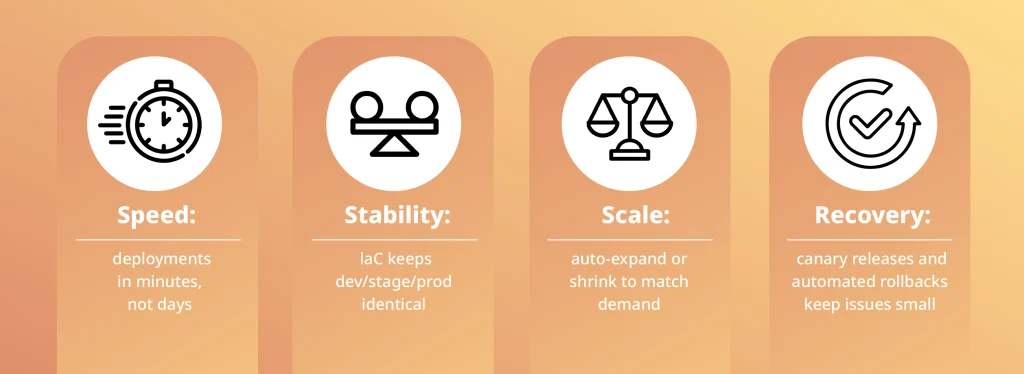
- Speed becomes real. Deployments that once took days can be completed in minutes. Teams don’t wait for manual approvals or someone to click through a console.
- Stability is built in. Infrastructure as Code makes every environment (development, staging, and production) identical by design. No more “works on my machine” dead ends.
- Scaling stops being guesswork. Automated scripts expand or shrink resources in seconds, so capacity matches demand instead of relying on manual provisioning.
- Recovery doesn’t stall. With automated rollbacks and canary releases, mistakes are contained quickly. A bad update becomes a minor blip, not an outage.
In other words, automation transforms the cloud from a moving target into a reliable foundation. Without it, the very flexibility that makes cloud attractive ends up as the biggest bottleneck, slowing delivery and magnifying risk.
Adoption is already mainstream. According to the Office for National Statistics, 69% of UK firms use cloud-based computing systems and applications, and for those companies, delivery bottlenecks or downtime have an immediate business impact.
If you’re scaling in a regulated space, this checklist for a 50-person HealthTech team shows what a truly scalable DevOps setup looks like in practice.
Common Tools Used in DevOps Automation
The stack should fit your architecture and compliance needs, not the other way round. Here’s how three core tools typically slot into a reliable, secure pipeline, plus the gotchas to avoid.
Jenkins: CI/CD Orchestrator
- Automates: Multi-stage builds, test matrices, artefact packaging, environment promotions (dev to stage to prod).
- Where it shines: Massive plugin ecosystem; mature for self-hosted runners, air-gapped networks, and complex release workflows.
- Use it for: Highly customised pipelines, parallel testing at scale, hybrid/on-prem estates.
- Typical add-ons: SonarQube for code quality, Trivy/Grype for image scanning, OWASP Dependency-Check/Snyk for SCA, and Kubernetes agents for ephemeral builds.
Watch-Outs:
- Plugin sprawl: Standardise on a vetted plugin set and pin versions.
- Secrets in job configs: Use credentials binding or short-lived OIDC tokens.
- Snowflake controllers: Codify with Jenkinsfile, back up controller config, separate controller/agent.
Bitbucket: Source Control + Gated Delivery
- Automates: Pull request checks, branch protections, merge gates, and Bitbucket Pipelines for YAML-defined CI/CD inside the repo.
- Where it shines: Tight integration with code reviews, inline comments, Jira linking, and environment-specific deployment variables.
- Use it for: Teams already on the Atlassian stack; trunk-based development with mandatory PR reviews; lightweight, repo-local pipelines.
- Typical add-ons: Required checks (tests, lint, SAST), Code Owners, Jira issue keys in commits for traceability.
Watch-Outs:
- Runner limits and caching strategy: Configure pipelines for parallelism and cache reuse.
- Secret handling: Prefer OIDC federation to AWS/Azure/GCP over long-lived keys.
- Policy drift: Enforce merge checks (status checks, required reviewers, no direct pushes to main).
Terraform: Infrastructure as Code (IaC)
- Automates: Provisioning of VPCs/VNets, IAM/RBAC, databases, clusters, and cloud services; repeatable environments for dev/stage/prod.
- Where it shines: Provider ecosystem across AWS/Azure/GCP and SaaS; plan vs apply for safe changes; modules for reuse.
- Use it for: Consistent environments, multi-cloud portability, auditable infra changes tied to PRs.
- Typical add-ons: tflint/terraform validate in CI, drift detection on a schedule, artefact registry for module versions.
Watch-Outs:
- State management: Use remote backends with locking (S3+DynamoDB, Azure Storage, GCS). Never commit state.
- Secrets in state: Keep sensitive data out of resources/outputs; rotate if leaked.
- Org structure: Standardise modules, version them; separate workspaces or stacks per environment; enforce plan in PR, apply only on main.
- Policy enforcement: Add OPA/Conftest or Sentinel to block risky changes (e.g., public buckets, wide IAM).
How They Fit Together (A Proven Flow)
- Code pushed to Bitbucket: PR opens with required checks (tests, lint, SAST).
- Jenkins picks up the PR: builds, runs test matrix, generates SBOM/scan reports, publishes artefacts.
- Terraform plan runs in CI: posting a comment back to the PR; policy-as-code must pass.
- Merge to main: Jenkins applies Terraform with short-lived cloud credentials, then deploys app artefacts.
- Promotion: the same pipeline promotes to staging/prod with identical config, producing an audit trail by default.
Top Business Benefits of Automating DevOps, Anchored in a Real Case
Strike (now Purplebricks) came to Deployflow after losing its internal DevOps capacity. Releases had become brittle, database outages were interrupting the roadmap, and earlier workarounds were showing their limits.
Sprint-based delivery squad took a clean handover from the departing engineer, joined daily discussions to unblock issues, ensured the right access for swift fixes, and moved the operating model from reactive firefighting to proactive stability, focusing on long-term resilience, not quick patches.
Measured outcomes from the engagement:
- +70% improvement in overall cloud environment stability
- –60% downtime, with nearly all outages eliminated
- +55% improvement in release reliability
- –25% reduction in costs
These numbers tell a simple story: when delivery becomes repeatable and evidence-driven, speed, reliability, and cost improve together.
If the Strike outcomes (better stability, steadier releases, lower cost) match what you’re aiming for, the next step is to keep those gains compounding.
Teams that want continued, hands-on enablement can lean on DevOps managed services, while those needing a shorter, targeted engagement to unblock bottlenecks or steady releases can use IT managed support for fast, practical help.
The Broader Benefits Teams Typically See
- Resilience under pressure. Automated health checks and safe deployment patterns (e.g., canaries, controlled rollbacks) keep incidents small and the recovery routine streamlined.
- Audit-ready by default. Pipelines and Infrastructure as Code generate a real trail of who changed what, when, and under which approval, useful for GDPR/FCA evidence and post-incident reviews.
- Higher product quality. Tests, linters, and security checks run on every change, catching defects early, before they turn into support tickets or outages.
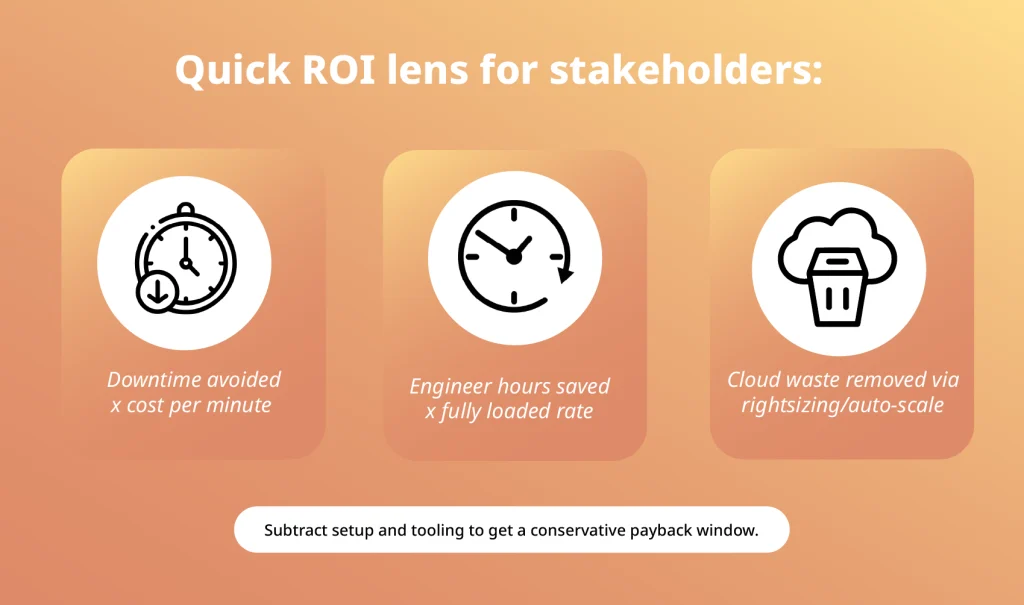
- Lower operating costs. Less manual toil, fewer handoffs, and right-sized infrastructure reduce waste and unplanned work.
- Clearer collaboration. Shared delivery metrics (lead time, change-fail rate, MTTR, build health) align product, engineering, and security on the same facts.
Faster, safer releases. Smaller, frequent, automated deployments shorten time-to-value without spiking risk.
The win isn’t “speed for speed’s sake.” Automation makes delivery repeatable, and that’s why speed, reliability, security, and cost move in the right direction, together.
How DevOps Consultants Help You Get Automation Right
Tools don’t fix slow handoffs or flaky releases on their own. The fastest, least risky way to make automation stick is to deliver it with a sprint-based delivery squad that ships real improvements in short, predictable cycles.
What the Squad Looks Like
A cross-functional, sprint-based delivery squad includes front-end and back-end engineers, a solution architect, a project manager, testers, and DevOps experts. The focus is a complete team delivering end-to-end outcomes each sprint (not a set of individual hires), so decisions and delivery live in one place.
If you’re weighing delivery models, start with this explainer on sprint-based DevOps and why CTOs choose it over traditional IT projects.
How the Work Runs
- Cadence: Work runs in one- or two-week sprints. Each sprint finishes with something usable, not just “progress.” Examples: a running pipeline, a reusable environment template, a policy gate that blocks risky changes, or a visible drop in lead time.
- Backlog: There is a single backlog for everything the Dev squad delivers. It mixes feature flow with enablement work. Typical items: pipeline hardening, Infrastructure-as-Code templates, secrets management, service onboarding, and basic observability (logs, metrics, alerts).
- Sprint review: Reviews show evidence, not slides. The team demos a real pipeline run, opens the template that was used to create an environment, or shows a policy gate stopping an unsafe change. Before-and-after metrics are part of the demo.
- Retrospective: Retros focus on flow and toil. The team picks the one step that caused the most friction and commits to a small fix in the next sprint. If a problem repeats, it becomes a top backlog item with a clear owner.
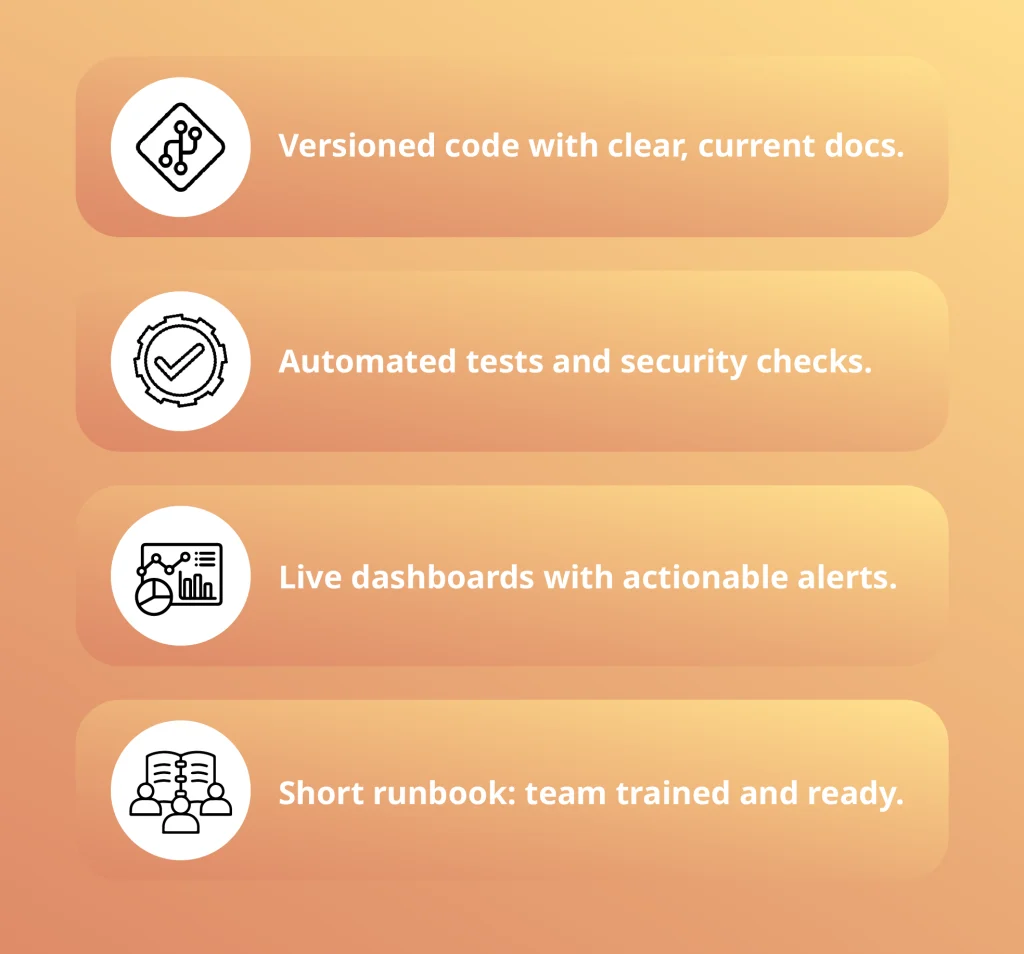
Definition of done (for automation work)
Clear, small increments every sprint keep momentum high and make improvements stick.
Engagement Storyline
- Discovery: measure the current flow and failure modes. Create a value-stream map and baseline metrics.
- Sprint 0: lay the foundations that everything else will use (source control conventions, environments, shared secrets approach, minimum pipeline skeleton).
- Sprints 1–3 (stabilise): remove the biggest reliability risks first. Focus on repeatable deployments, basic test gates, and eliminating manual release steps.
- Sprints 4–6 (standardise): introduce reusable templates for services and environments; add policy gates and stronger security checks.
- Sprints 7+ (scale): onboard more services via the golden path, expand observability, and chip away at remaining toil.
Governance Without the Drag
A light standards forum sets a few non-negotiables (how services are onboarded, how secrets are handled, what “production-ready” means), then gets out of the way. Evidence comes from the pipeline, not from screenshots and spreadsheets.
What You Measure
Lead time, change fail rate, and mean time to restore. Also track out-of-hours incidents, time spent on releases, and the effort needed to produce audit evidence. If these numbers aren’t improving within a couple of sprints, the squad adjusts the plan.
Why the Full-Stack Squad Model Works
- Focus: one team owns the end-to-end flow, so there’s no waiting on scattered approvals.
- Momentum: small, reversible changes ship every sprint, building confidence instead of risk.
- Capability transfer: the squad pairs with your engineers from day one, so the practices remain when consultants step back.
Consultants make automation durable by delivering it as product work; small increments, clear outcomes, and a squad that owns the path to production.
Why Work with Deployflow for DevOps Automation
Deployflow helps UK SMBs and scaleups adopt automation that fits cloud and hybrid realities, without adding complexity.
- Secure delivery: Security checks are built into every sprint, so compliance and evidence come by default, not at the end.
- Sprint-based delivery: Cross-functional squads ship usable improvements every one to two weeks, with demos, metrics, and runbooks your team can own.
- Proven outcomes: Engagements follow a stabilise, standardise, then scale cadence so reliability, cost, and delivery speed improve together.
Explore real results on the case studies page.
Here’s how Blueshift’s founder described the engagement in a recent Clutch review:
“Their team offers direction on the best technologies to use and can produce scalable and long-lasting infrastructures. Deployflow’s work hardly had any issues after deployments we made and would offer 24/7 support post-projects. They also stuck to their promises and resolved any concerns quickly.”
Wassim Melhem, Founder, Blueshift Consulting Dubai
DevOps automation turns releases from “events” into muscle memory. Small changes ship steadily, risk drops, and engineers spend more time on the product.
Build automation through Deployflow’s CI/CD automation services, infrastructure, and security checks.
Ready to see this in your stack? Talk to Deployflow’s experts about a short discovery session; bring your biggest bottlenecks and leave with a clear next-step plan. Contact Deployflow and get started today.
We make releases boring and results exciting.
DevOps automation FAQs: best practices, secure CI/CD, quick wins, ROI
What are DevOps automation best practices?
Strong automation looks boring, in the best way. Your pipeline should behave the same every time, without surprises.
North star: keep delivery versioned, verified, and visible.
Checklist to get there:
- Pipelines as code in version control with reviews and history
- Trunk-based development with gated PRs (tests and scans must pass)
- Environment parity via IaC to eliminate drift
- Short-lived credentials or OIDC; no secrets in images or state
- Policy-as-code to block risky changes by default
- Supply-chain hygiene: SBOMs, image signing, dependency provenance
- Observability everywhere: logs, metrics, traces, alerts
- Small, reversible releases so recovery is routine, not heroic
How do you build a secure CI/CD pipeline without slowing delivery?
Treat security as part of the pipeline’s design and not a phase at the end.
Five steps, in order:
- Harden the source of truth. Protect the main with branch rules, required reviews, commit signing, and mandatory status checks.
- Automate the minimum viable security. Linting, SAST, dependency and container scans on every change; fail the build on critical issues.
- Lock down execution. Ephemeral runners, least-privilege roles, isolated networks, and no long-lived keys.
- Gate production with risk. Stage first, run smoke and contract tests, then promote. Keep a tested rollback path.
- Keep evidence, not screenshots. Store logs, scan reports, approvals, and deploy history as artefacts. Audits use evidence that the pipeline has already produced.
The result is faster with fewer surprises, because checks are automatic and predictable.
What should we automate first for quick wins?
Start where the pain is worst and the value is obvious.
A focused first 90 days:
- Days 1–30: Give one service a repeatable build-test-deploy pipeline. Add a minimal environment template (network, compute, storage, identity) and baseline observability.
- Days 31–60: Centralise secrets, add smoke and one integration test on the critical path, and introduce a simple promotion strategy with a tested rollback.
- Days 61–90: Clone the pattern to two more services, add policy-as-code for common risks (over-permissive access, public storage), and publish a short runbook so other teams can self-serve.
You’ll feel the difference quickly: fewer blocked releases, clearer ownership, and the first measurable drop in lead time.
How do we measure the success of DevOps automation and prove its ROI?
Measure flow, reliability, audit effort, and cost—then tie improvements to money saved.
What to track
- Flow: lead time, deployment frequency, change-fail rate, MTTR
- Reliability: uptime vs SLOs, incident count, out-of-hours pages
- Audit effort: hours to produce evidence before vs after automation
- Cost signals: cloud waste removed, engineer hours saved, downtime avoided
Simple payback check
- Add monthly savings (downtime avoided + hours saved + cloud waste removed).
- Subtract the monthly tool and support costs to get net monthly savings.
- Divide the one-time setup cost by the net monthly savings to determine the payback time.
If key metrics don’t move within a couple of sprints, adjust the plan. Prioritise the longest waits and most failure-prone steps until they do.
Explore our BLOG
Recent articles

AI Roadmap: How to Get Board Approval for Your AI Strategy in Six Weeks
A board-ready AI roadmap takes six weeks if you rank, cost and sequence use cases...
read full article

Is Claude Down? Anthropic Outage: Protect Your Cloud Infrastructure
Every current Claude model failed at once on 25 October 2026, the worst of five...
read full article

Agentic Process Automation Explained: A Complete Guide for 2027
Agentic process automation hands off entire business processes to AI agents that read, decide and...
read full article