



Amazon Web Services (AWS) maintains its leadership position with a 30% global cloud infrastructure market share. And there is a good reason for this!
This blog will explain why AWS is a great fit for CTOs and small businesses looking to grow and optimise. We’ll cover the key benefits of migrating to the cloud, the challenges you might face, and how to tackle them.
Plus, we’ll share some of the latest trends in cloud optimisation and show you how Deployflow makes AWS migration a breeze. Let’s get started!
Why AWS Cloud Migration Matters for CTOs and Small Businesses
AWS (Amazon Web Services) stands out as a top choice for businesses of all sizes, offering a range of benefits that make it particularly appealing for smaller businesses looking to grow and optimise their IT infrastructure. Here are four top reasons why SMBs should move to the AWS cloud:
- Scalability to Match Your Business Growth: As your business grows, so do your technology needs. AWS allows you to scale up or down quickly and efficiently, so you only pay for the resources you need. For small businesses, this flexibility means you can keep costs low while maintaining the capacity to expand without the headache of managing physical infrastructure. Companies like Netflix leverage AWS to manage huge spikes in traffic, ensuring smooth user experiences without overpaying for underused resources.
- Reliability That You Can Trust: Downtime can be costly for any business. AWS offers a highly reliable infrastructure that ensures your systems stay up and running. Companies that have migrated to AWS, like Loacker, have reduced downtime to zero, reducing infrastructure costs by 32%. For CTOs, the ability to rely on AWS to keep your business operational 24/7 without worrying about hardware failure or maintenance can free up resources to focus on growth and innovation.
- Top-Tier Security Without the Extra Overhead: AWS provides powerful security tools, such as AWS Security Hub and Amazon GuardDuty, that help protect your data and ensure compliance with industry standards. For smaller businesses, implementing enterprise-level security measures used to be a complex and costly affair. But with AWS, you get robust security built-in, so you don’t have to sacrifice protection for simplicity or cost. Southwest Airlines, for example, strengthened its security posture by scanning over 600,000 resources monthly after migrating to AWS.
- Cost Efficiency with Pay-As-You-Go: Managing operational costs is crucial for small businesses. With AWS’s pay-as-you-go pricing model, you only pay for what you use, no more, no less. This model helps businesses avoid overcommitting to large upfront investments in hardware or software. Plus, it eliminates the need to constantly manage or upgrade physical hardware.
Key Challenges of Migrating to AWS and How to Overcome Them
As a CTO or a business owner, navigating AWS cloud migration challenges efficiently is key to making the most of the cloud. Here’s a breakdown of the top challenges you might face during migration and actionable solutions to overcome them.
Migrating to AWS involves both backend infrastructure changes and updates to the applications that depend on it. For businesses running mobile applications, you may also need to hire mobile developers to adapt iOS or Android apps to the new cloud environment.
Performance Bottlenecks
Latency and inefficient resource allocation are common issues that can slow down your applications, hurting your performance and user experience.
Solution: The first step is to monitor and optimise your infrastructure. AWS offers tools like Auto Scaling and Elastic Load Balancing to ensure your resources adjust dynamically to traffic demands. Use AWS CloudWatch to track performance metrics and tweak your configurations to reduce latency and enhance overall speed.
Downtime Risks
Migrating to the cloud can sometimes lead to downtime, which risks customer dissatisfaction and revenue loss.
Solution: To minimise disruptions, consider a phased migration. This involves gradually migrating smaller chunks of your workload rather than doing everything at once. You can also use tools like AWS Database Migration Service (DMS) to transfer data without causing service interruptions.
Security Concerns
Cloud migrations can introduce security risks if access control isn’t properly set up or data isn’t encrypted.
Solution: Use AWS’s Identity and Access Management (IAM) to implement strict access control and ensure your data is encrypted in transit and at rest. Continuously monitor for threats using tools like Amazon GuardDuty and AWS Security Hub to ensure compliance.
Cost Management
Unchecked cloud costs can get out of hand quickly. Migrating to AWS requires careful planning to ensure you’re not over-provisioning resources or paying for unused capacity.
Solution: AWS offers tools like Cost Explorer and Trusted Advisor that help you identify cost-saving opportunities. You should also implement automated scaling to ensure you’re only using the resources you need at any given time.
Step-by-Step Guide to Migrating to AWS Cloud (with Expert Insights from Deployflow)

AWS cloud migration services can transform your business, giving you access to powerful tools and scalability. While the process can seem overwhelming, breaking it down into manageable steps makes it much simpler. Here’s a step-by-step guide on how to migrate to AWS smoothly, with insights from Deployflow experts to help you along the way.
1. Assess Your Current Infrastructure
Before jumping into migration, take stock of your existing infrastructure. You need to know what you have and what you need, as well as how AWS can meet those needs.
Deployflow Expert Insight:
“Understanding your current setup is crucial for a smooth transition. With Deployflow, we can help you map your infrastructure in detail, so you’re aware of every resource you’ll need to migrate.” Prakash Pilley, CEO at Deployflow
2. Plan Your Migration Strategy
The next step is planning. This includes deciding which workloads to move first and ensuring you understand interdependencies. Having a phased plan is critical for avoiding disruption.
Deployflow Expert Insight:
“A good strategy is all about prioritisation and timing. Deployflow’s automated deployment process helps you break down your migration into stages, reducing risk and ensuring business continuity.” Thomas Radosh, CTO at Deployflow
3. Optimise for Cost and Efficiency
Cost management is key when migrating. AWS offers different pricing models, so choosing the most cost-effective one is important. Tools like AWS Cost Explorer can help here.
Deployflow Expert Insight:
“With Deployflow’s smart monitoring, you can track your resource usage and ensure that you only deploy what’s necessary, keeping costs down while optimising performance.” Nikita Barkovsky, Senior Cloud Migration and Architecture Consultant
4. Secure Your AWS Environment
Security is paramount when migrating to AWS. Ensure that your data is encrypted and your access control is properly configured using AWS’s security features like IAM, KMS, and GuardDuty.
Deployflow Expert Insight:
“Security needs to be baked in from the beginning. Deployflow provides continuous security checks and automatic updates to your cloud environment, ensuring compliance and minimising vulnerabilities.” Nikita Barkovsky, Senior Cloud Migration and Architecture Consultant
5. Execute the Migration
Now it’s time to move your applications, databases, and services. During this stage, it’s essential to monitor closely for any issues that might arise. During AWS migration, api testing tools help verify endpoints, authentication, and integration workflows, allowing teams to detect issues before completing the migration.
Deployflow Expert Insight:
“Deployflow automates much of this process, allowing you to execute migrations with minimal manual effort. Our tool ensures that everything moves smoothly, and if issues arise, you can quickly revert to a previous state without any downtime.” Albert Prat Amigo
6. Post-Migration Optimisation and Management
Once your systems are live on AWS, you need to regularly review and optimise for performance, security, and cost-efficiency.
Deployflow Expert Insight:
“Post-migration doesn’t mean ‘set it and forget it.’ With Deployflow, you can continuously optimise your deployments to make sure you’re getting the most out of AWS without worrying about manual adjustments.” Albert Prat Amigo
Key AWS Cloud Migration & Optimisation Trends for SMBs
Migrating to the cloud opens up a world of opportunities for small and medium-sized businesses (SMBs), and AWS provides some great tools to help you optimise and stay ahead. Here are some key AWS trends that are shaping the way SMBs approach cloud migration and optimisation:
AI-Driven Cloud Automation
Managing workloads and resources can be time-consuming, but with AWS, SMBs can automate a lot of that work. Tools like AWS Compute Optimiser and AWS Auto Scaling help optimise resource usage and costs by automatically adjusting your infrastructure to match demand.
Why it matters for SMBs: This means less manual work for your team and more efficiency, so you can focus on what matters: growing your business. These AI-driven tools ensure that your cloud environment is always optimised without you having to lift a finger.
Hybrid & Multi-Cloud Adoption
Many SMBs are moving away from relying on just one cloud provider and are embracing a hybrid or multi-cloud approach. This allows businesses to mix on-premises systems with cloud solutions, balancing performance, flexibility, and cost.
Why it matters for SMBs: By using both on-premise and cloud resources, you can avoid vendor lock-in and choose the best platform for each part of your business. This flexibility gives you more control over costs and performance, which is key for SMBs who need to stay agile.
Serverless Computing
Managing infrastructure can be complicated and costly, but AWS Lambda offers a solution that lets you run applications without having to worry about the underlying servers. With serverless computing, you only pay for the actual computing time you use, which reduces operational complexity and cuts costs.
Why it matters for SMBs: Serverless computing with AWS Lambda helps you scale quickly and efficiently without the overhead of managing servers. For small businesses, this means you can launch and scale apps faster without spending money on idle resources.
Cost & Performance Optimisation
AWS offers a variety of tools to help SMBs optimise both performance and costs. AWS Savings Plans and Spot Instances allow you to lock in savings for long-term use, while cost monitoring tools like AWS Cost Explorer help you keep an eye on spending and avoid unexpected bills.
Why it matters for SMBs: For SMBs, controlling costs while improving performance is essential. These AWS tools help ensure you’re getting the most out of your cloud environment—keeping costs low and efficiency high.
Deployflow in Action for AWS Migration
Deployflow has made migrating to AWS smoother and more efficient for businesses of all sizes. Here’s how two companies, Zilch and Strike, leveraged Deployflow to seamlessly migrate to AWS, optimise resources, and scale their operations.
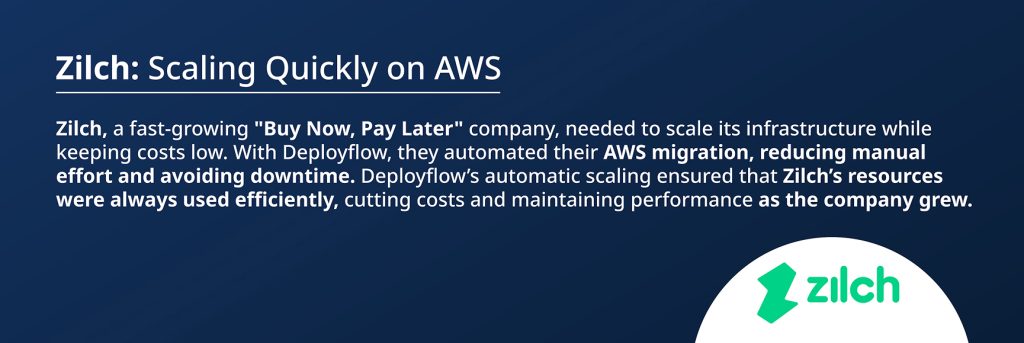
Read the full Zilch story here.

Read the full Strike story here.
Why Deployflow Is Your Go-To for AWS Migration
Deployflow helps small businesses and CTOs like you automate and simplify the AWS migration process, making scaling, cost optimisation, and performance monitoring easier. Want to learn how Deployflow can help you seamlessly migrate to AWS? Check out all our case studies here.
Check out our cloud migration services to learn how we can help you achieve the full value of the cloud.
FAQs
How do you measure the success of an AWS cloud migration?
Success can be measured through KPIs such as cost reduction (optimising infrastructure costs), performance optimisation (enhancing speed and scalability), and security improvements (strengthening data protection and compliance).
What is the best AWS cloud migration strategy for enterprises?
The best strategy depends on the specific needs of the business, but common approaches include Rehosting (lift-and-shift), Refactoring (optimising applications for the cloud), Rearchitecting (redesigning applications to fully leverage cloud capabilities), Rebuilding (developing new applications from scratch), and Replacing (switching to SaaS solutions).
How does AWS ensure data security and compliance during migration?
AWS ensures security through data encryption in transit and at rest, robust identity and access management (IAM) tools, and compliance with industry standards through certifications like ISO, GDPR, and SOC 2.
What are the biggest cost-saving opportunities in AWS cloud migration?
Cost-saving opportunities in AWS migration include optimising resource utilisation through Auto Scaling, leveraging Reserved Instances or Savings Plans, and eliminating the need for on-premises hardware using AWS’s flexible pay-as-you-go model.
Explore our BLOG
Recent articles

AI Roadmap: How to Get Board Approval for Your AI Strategy in Six Weeks
A board-ready AI roadmap takes six weeks if you rank, cost and sequence use cases...
read full article

Is Claude Down? Anthropic Outage: Protect Your Cloud Infrastructure
Every current Claude model failed at once on 25 October 2026, the worst of five...
read full article

Agentic Process Automation Explained: A Complete Guide for 2027
Agentic process automation hands off entire business processes to AI agents that read, decide and...
read full article